VS Code Extension — Public Dev Channels
Dev chat that lives in your editor.
SideChannel puts public channels of developers inside VS Code — ask in #help, share the error, insert the fix at your cursor. No tab-switching to Discord.
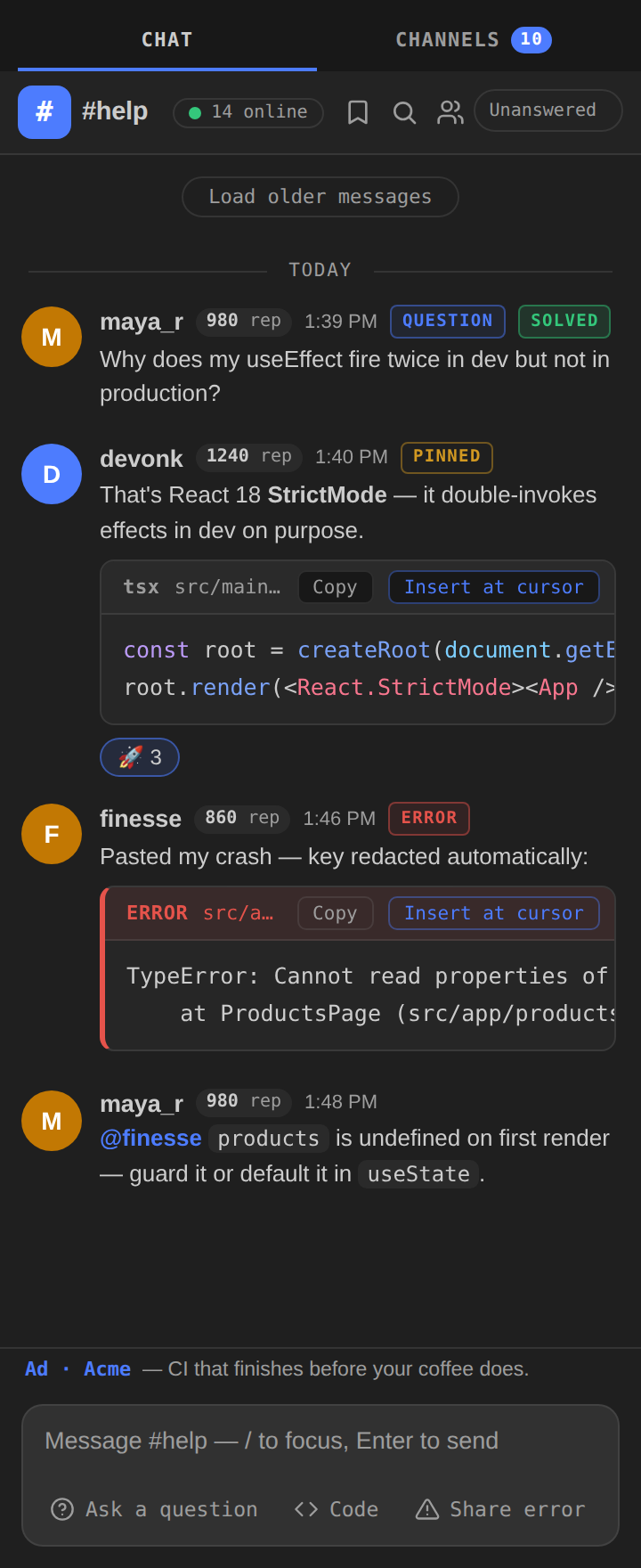
SideChannel puts public channels of developers inside VS Code — ask in #help, share the error, insert the fix at your cursor. No tab-switching to Discord.
Thirteen channels. One network. Every SideChannel user lands on the same board — there are no servers to hunt for, no invites to beg for, no empty rooms with your name on them.
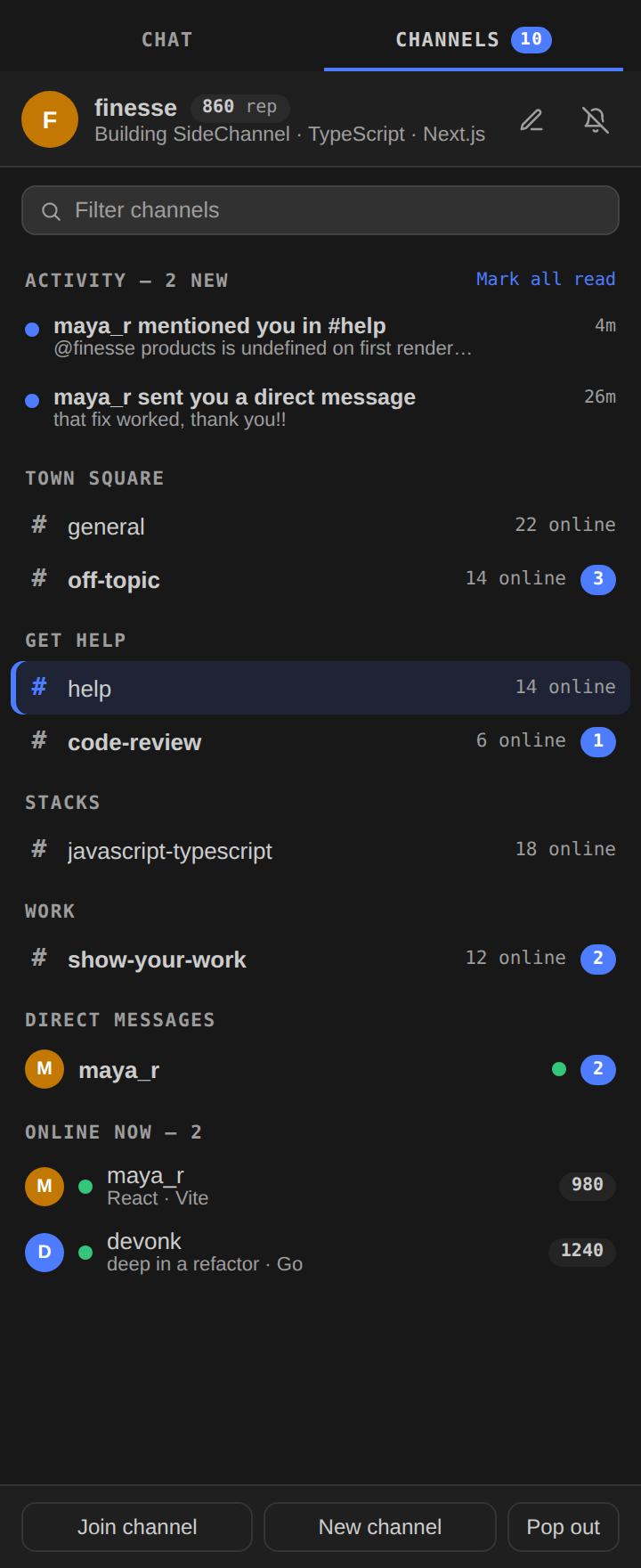
The directory is the product. Thirteen rooms, staffed by whoever is coding right now — presence counts and unread badges on every row.
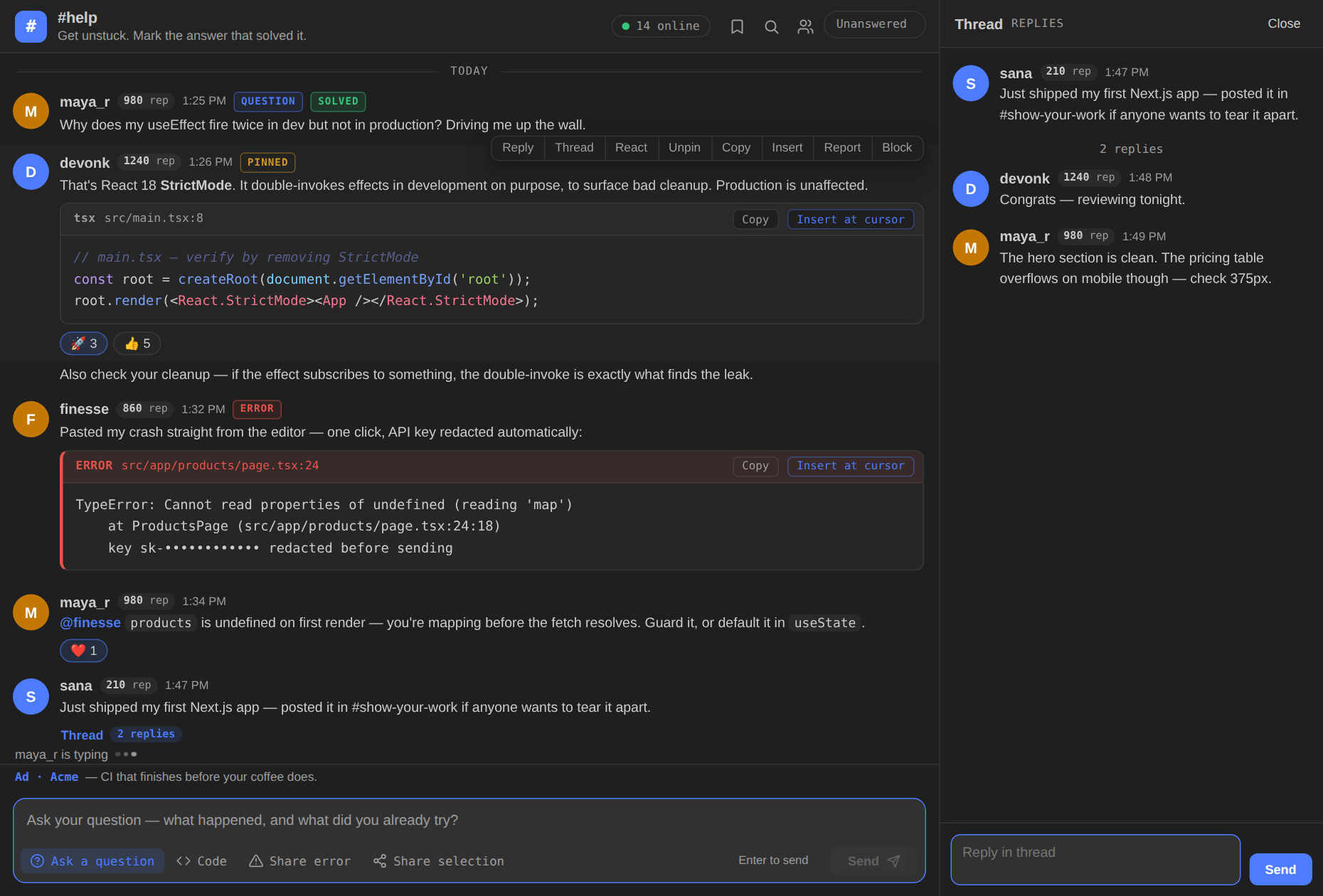
Six jacks, patched in by default. Everything here exists because a normal chat app breaks the moment a stack trace shows up.
Fenced blocks render as real code — syntax-highlighted across 15 languages, with the source file and line riding on the block header.
One command sends the error you're staring at, with file:line attached. Secrets are redacted automatically — before anything leaves your machine.
Someone posts the snippet that fixes it. One click drops it into your file, right at the cursor. No copy, no alt-tab, no re-indenting.
Ask-a-question mode frames the problem properly. When a reply fixes it, mark it solved — the solver earns +10 rep and the thread gets its answer pinned to the top.
@mentions, replies, and DMs collect in one inbox in the sidebar. The stuff that actually needs you never scrolls away under general chat.
No notification spam, no red-dot hostage-taking. A calm sidebar, unread counts where you'd expect them, and a quiet mode for deep work.
No new account, no server setup, no configuration file. Three steps between you and thirteen rooms of developers.
Live on the VS Code Marketplace — or search “SideChannel” in the Extensions view. Thirty seconds, one reload.
Your identity is your GitHub — the same login VS Code already has. No new password, no new profile to build.
The sidebar opens on the full directory. Say hello in #introductions, or go straight to #help with the error that's blocking you.
The Founding 100 fills in three waves. Wave 1 is open now — 25 seats, first come. Install the extension and sign in to claim one. Founders aren't beta testers with a nicer name — they're the first hundred names on the board, and the board remembers.
Marketplace listing, open sign-ups, the whole board lit up.
One sponsor line, clearly labeled, above the composer. No images, no tracking, no cookies. That's the whole ad model.